

How to Measure Google Business Profile Performance Beyond Rankings
Most business owners check their Google Business Profile the way they check a bank balance. They glance at the star rating, maybe the call count, and close the tab. That habit leaves a lot on the table.
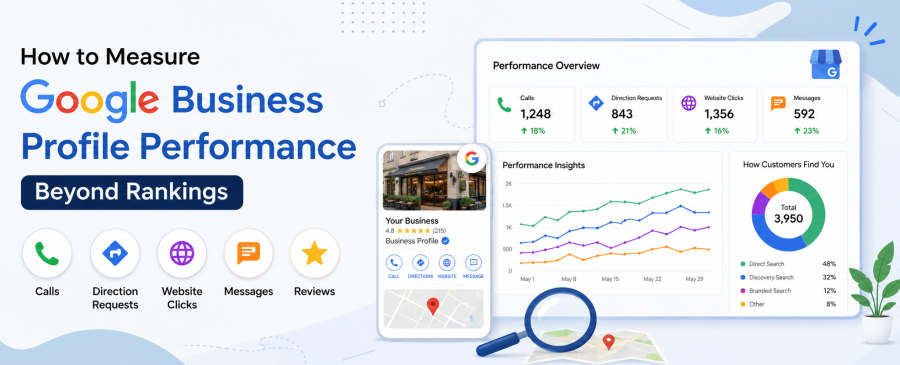
Google Business Profile performance is about more than where you appear in the Map Pack. It includes calls, direction requests, website clicks, messages, and other actions that show how people interact with your business. And as search changes, people are also getting more answers directly from AI-powered features such as Google AI Overviews instead of clicking through multiple search results.
We are the team at Map Ranks, and we manage Google Business Profile Optimization for businesses running one location and franchises running 250 plus. What we have learned, over and over, is that E-E-A-T (Experience, Expertise, Authoritativeness, Trustworthiness) signals now shape which listings AI systems recommend, not just which ones rank. This guide breaks down what to track, how to track it, and what real GBP metrics look like when the work is actually paying off.
Key Takeaways
- Rankings are only part of the story. Your GBP calls, website clicks, direction requests, and other customer actions show whether your visibility is actually bringing results.
- Google Business Profile performance gives you more than a ranking number. Use the Performance section to understand how people discover and interact with your business.
- Discovery searches are especially valuable. They show how often people find your business when searching for a product, service, or category rather than your business name.
- Focus on actions, not just views. Calls, website visits, direction requests, and messages give you a better idea of whether people are taking the next step.
- AI overviews are changing how people find local businesses. Keeping your GBP, website, reviews, and business information accurate and consistent makes it easier for search engines and AI-powered experiences to understand your business.
- The real goal is business growth. Tracking GBP metrics over time helps you connect your local search visibility with leads, customers, and revenue.
How to Measure Google Business Profile Performance?
Open your listing in Google Business Profile Manager, click “Performance,” and track four numbers over a 90-day window: calls, direction requests, website clicks, and your discovery-to-direct search ratio. Those four tell you more than your map pack position ever will.
Rankings are a single snapshot. Performance data is the full story of what happens after someone sees your listing. Here is the short version of how we approach it with every client:
- Start by writing down where you stand today. Before touching anything, check your current calls, directions, clicks, and views. You need a “before” number, or you’ll never know if anything worked.
- Check in once a month, not every day. Google’s data lags 2 to 3 days anyway, so daily refreshing just gives you stress, not answers.
- Look at the ratio, not the raw numbers. A smaller profile that turns views into calls is doing better than a big one that just sits there getting looked at.
- Connect it to Google Analytics 4. GBP tells you someone clicked your website link. GA4 tells you what they did once they got there. You need both halves of the story.
We break down each of these metrics and what “good” actually looks like in the sections below.
What Does Google Business Profile Performance Actually Mean?
Google Business Profile performance is the data Google shows you about how people find, view, and act on your listing across Search and Maps. It lives inside the “Performance” tab of your profile and covers roughly six months of history at a time.
This feature used to be called Google My Business Insights. Google renamed it and cut back on what it reports. Photo insights are gone, along with the old breakdown of how customers searched by category. What is left is still useful, but you have to know where to look.
The current report groups data into a few buckets: total interactions, the search terms people used to find you, and the actions they took (calls, direction requests, website visits, messages, and bookings). Google publishes the exact definitions on its Business Profile Help center, worth bookmarking if you manage more than one listing.
The Most Important Google Business Profile Metrics to Track
The metrics that actually move your business fall into three groups: discovery, engagement, and action. Skip the vanity numbers and focus here first.
- Discovery vs. Direct Searches. Direct searches happen when someone types your business name. Discovery searches happen when someone searches “plumber near me” and your profile shows up anyway. A rise in discovery searches can indicate that your profile is appearing for more relevant non-branded searches.
- Calls and Messages. This is about as close to a straight revenue signal as GBP gives you. If calls stay flat while views climb, something between your profile and the phone is broken. Check your business hours, your primary category, and whether your call button shows on mobile.
- Direction Requests. For any business with foot traffic, this metric matters as much as calls. It tells you people trust your listing enough to physically show up.
- Website Clicks. This bridges GBP and your website analytics. Pair it with Google Analytics 4 to see what visitors do once they land on your site.
- Search Terms Report. This shows the actual phrases triggering your listing, and it doubles as free keyword research most businesses never check. If you want the ranking mechanics behind why certain terms trigger your profile, our Google My Business SEO guide covers that in more depth.
More than 2 billion people use Google Maps every month, many searching with buying intent you rarely see on generic web search. Converting even a small share of that traffic makes GBP one of the highest-return channels a local business has.
How to Track Google Business Profile Performance?
You have two realistic options, depending on how many locations you manage.
For a single location, log into Google Business Profile Manager, open your listing, and click “Performance.” A 90-day range works well for spotting trends. Note your starting numbers somewhere outside of Google, since the platform does not retain long-term comparisons on its own.
For multiple locations, manual checking becomes a full-time job fast. This is where a dedicated GBP management service earns its keep, pulling bulk data across every location into one report instead of forty separate logins.
A few habits we recommend to every client:
- Check performance monthly, not daily. GBP data updates on a 2- to 3-day delay, so daily checking creates noise, not insight.
- Track the same four numbers every month: calls, directions, website clicks, and discovery search share.
- Export your data quarterly. Google’s own historical window is limited.
How to Measure GBP ROI (Not Just Vanity Metrics)
Answer first: GBP ROI comes from tying your interaction numbers to actual booked jobs, closed sales, or in-store visits, then dividing what you spent on optimization by that return.
Views and impressions feel good to look at, but they do not pay your bills. A profile with 50,000 views and 12 calls is underperforming. A profile with 8,000 views and 90 calls is doing real work. We tell clients to track a “conversion ratio”: calls plus direction requests plus website clicks, divided by total interactions. When that ratio climbs, your listing is turning lookers into customers more efficiently, even if raw traffic stays flat.
A dedicated tracking number on your GBP listing closes the loop further, showing exactly which calls came from Maps versus your website versus a paid ad.
Real Case Studies: What Improved GBP Metrics Actually Look Like
Numbers in a blog post are easy to write. Here is what we have documented with real accounts, detailed further on our case studies page.
Mathnasium (multi-location tutoring franchise): Between Q3 2025 and Q1 2026, active profile management moved website visitors from 7,325 to 9,259 and direction requests from 26,525 to 31,964. Phone calls jumped from 8,039 to 13,558, a 68.6% increase, once review responses, category accuracy, and weekly posting were handled consistently.
CoolVu (window film and surface franchise, 60+ locations): In one quarter, after listings were fully optimized and citations cleaned up, website visitors rose from 164 to 1,067 and calls went from 19 to 254. Total listing views climbed from roughly 64,000 to nearly 900,000. That is not a typo. It shows what happens when a profile goes from barely set up to fully optimized in a short window.
Both accounts prove the same point: the metrics move because of consistent work on categories, reviews, photos, and posting cadence, not because of a single quick fix.
How to Get Your Business to the Top of Google (Without Just Chasing Rank)
Answer first: ranking higher is a byproduct of a complete, active, well-reviewed profile. Chase the fundamentals, and the position follows. We covered exactly how GBP rankings impact local SEO heading into 2026 in more depth if you want the longer version.
A few things genuinely move the needle, based on what we see across client accounts:
- Complete every section of your profile. A complete and accurate profile gives Google more information about your business and can strengthen your local search presence when combined with other ranking signals.
- Collect genuine reviews that naturally describe your services and customer experience. Review content can provide useful context about what your business offers and the experiences customers have had.
- Maintain a consistent posting schedule to keep customers informed, highlight current offers or services, and provide fresh content on your profile.
- Keep your NAP (name, address, phone) consistent everywhere online. Inconsistency confuses Google and customers alike.
- Responding to reviews demonstrates that your business is engaged with customers and gives prospective customers additional context when evaluating your business.
If you want the full technical breakdown of how these pieces fit together, our Google Business Profile Optimization service walks through the process end to end. For businesses weighing broader local visibility work alongside GBP, our local SEO services page is a good next stop.
How Google Business Profile Data Can Support AI Search Visibility
Google Business Profile is one part of the broader information ecosystem that can help search engines and AI-powered search experiences understand a local business. AI systems can use multiple sources when generating answers and recommendations, so businesses should focus on keeping their information accurate, consistent, and easy to verify across the web.
Important signals to keep aligned include:
- Business name and location: Keep your business identity and location information consistent across your GBP, website, directories, and other authoritative sources.
- Primary category and services: Clearly communicate what your business does and which services it provides.
- Business description: Use accurate, customer-focused language that clearly explains your business and areas of expertise.
- Customer reviews: Genuine reviews can provide additional context about the products, services, locations, and customer experiences associated with your business.
- Website content: Make sure your website clearly supports the information presented on your Google Business Profile.
- Structured data: Use relevant Schema.org markup to help search engines understand your organization, services, locations, and other important entities.
- Local citations and mentions: Consistent information across reputable third-party sources can provide additional context about your business.
- Review responses and profile activity: Respond to customers professionally and keep important business information up to date.
Why This Matters for GEO
Generative engine optimization is not simply about inserting keywords into your Google Business Profile. It is about making your business information clear, consistent, relevant, and supported by trustworthy sources across the web.
At Map Ranks, we look at GBP data alongside website content, reviews, local citations, structured data, and other local SEO signals. This broader approach helps create a stronger and more consistent digital entity that search engines and AI-powered search experiences can understand.
Common Mistakes When Reading GBP Insights
A few patterns show up constantly when we audit new accounts:
- Comparing this month to last month without accounting for seasonality.
- Ignoring the search terms report, often the single most useful section on the page.
- Treating impressions as a success metric on their own.
- Never checking mobile versus desktop view splits, which changes how your call and directions buttons actually display.
This mirrors a broader shift happening across SEO. Search Engine Journal has written about the move toward measuring effectiveness through business outcomes rather than rankings alone. GBP is no different.
Want Someone Else to Track These Metrics for You?
Reading your own GBP performance data is one thing. Turning it into more calls and bookings every month is another. If you would rather have a team pull these numbers, act on them, and send you a report you can actually understand, get in touch with Map Ranks, or call us directly at 800-638-6384, and we will walk you through what your profile is doing right now.
Frequently Asked Questions
How do I measure Google Business Profile performance?
Open your listing in Google Business Profile Manager and click “Performance.” Track calls, direction requests, website clicks, and discovery search share over a 90-day window to spot real trends.
What are the most important GBP metrics?
Calls, direction requests, website clicks, and discovery searches matter most, since they reflect actual customer actions rather than passive views.
How do I track Google Business Profile performance over time?
Export or screenshot your data monthly, since Google’s built-in history window is limited. A spreadsheet or a bulk reporting tool works well if you manage more than one location.
How do I measure GBP ROI?
Compare your GBP-driven calls, directions, and clicks against actual booked jobs or sales, then weigh that against what you are spending on optimization and management.
What metrics should I track for Google Business Profile?
Start with the four core ones: calls, direction requests, website clicks, and your discovery-to-direct search ratio. Everything else is secondary.

Map Ranks is a local SEO agency that helps businesses get found fast on Google Maps and local pack. Our team specializes in Google Maps Marketing, SEO, and optimization strategies designed to boost your visibility, attract nearby customers, and grow your local presence. We make sure your local business stands out right where it matters; on the map and in front of the people searching for you.