

Track Google Maps Rankings for Multiple Keywords with a Free Checker
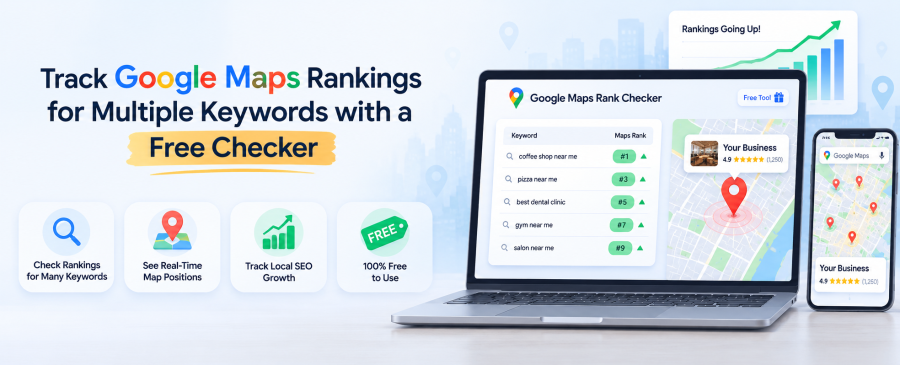
If you own a local business, you already know Google Maps can have a major impact on your visibility and customer acquisition. We’ve spent years managing Google Business Profiles for businesses ranging from single-location shops to large multi-location franchises. Businesses that regularly track their Google Maps rankings can identify visibility gaps earlier and make more informed local SEO decisions. A free Google Maps rank checker helps you see where your business ranks for the keywords your customers are actually searching for, giving you valuable insights that a local SEO company can use to improve your local search strategy.
This guide walks through how Google Maps rank tracking works, why tracking multiple keywords beats tracking just one, and how a free Google Maps ranking checker fits into a real local SEO strategy. We’ll also show you a live case study from our own client portfolio.
Key Takeaways
- A Google Maps rank checker shows your exact position in the Map Pack for specific search terms and locations.
- Tracking one keyword tells you almost nothing. Tracking multiple keywords tells you the full story of your visibility.
- Rank position on Google Maps shifts by proximity, so results vary by the searcher’s location, not just their search term.
- Free tools are a solid starting point, but ongoing local SEO rank tracking works best when paired with active profile optimization.
- Real businesses, including franchise brands, have used consistent rank tracking to grow calls, direction requests, and website visits.
What Is a Google Maps Rank Checker?
A Google Maps rank checker is a tool that tells you exactly where your business shows up in the Map Pack for a given search term and location. It removes the guesswork of manually searching from different browsers or devices.
Most business owners check their own ranking by typing a search into Google from their office. That’s a mistake. Google shows you results based on your own location, search history, and even your login. Your customer sitting three miles away, on their phone, gets a completely different result.
A proper rank checker simulates searches from set locations around your service area. It pulls your position for the Map Pack, sometimes called the “Local 3-Pack,” and logs it over time. That log is the part most people skip, and it’s the part that actually matters.
How Does Google Maps Rank Tracking Actually Work?
Google Maps rank tracking works by running automated searches from multiple simulated locations and recording where your listing lands for each keyword. It repeats this on a schedule so you can see movement, not just a snapshot.
Google’s own local ranking guidance points to three core factors: relevance, distance, and prominence. You can read Google’s official notes on local ranking factors directly from their Business Profile Help Center.
Here’s what a decent tracking setup actually measures:
- Grid searches. The tool checks your rank from a grid of points around your target area, not just one spot.
- Keyword rotation. It checks multiple search terms, since customers rarely search the exact same phrase.
- Historical logging. It stores past results so you can compare this week against last month.
- Competitor visibility. Good tools show who’s beating you and where, not just your own number.
Without this kind of tracking, you’re flying blind. You might be #1 downtown and invisible two zip codes over, and you’d never know it.
Why Track Multiple Keywords Instead of Just One?
Tracking one keyword gives you a single data point. Tracking multiple keywords gives you the actual shape of your visibility across every way customers search for your business.
Think about how people actually search. A plumber gets found for “plumber near me,” “emergency plumber,” “water heater repair,” and probably a dozen other phrases. If you only track “plumber,” you might be thrilled with a #2 spot while quietly missing 40% of your potential leads on other terms.
We see this constantly with our clients. A business ranks well for its main category term but disappears for the specific service someone actually needs. That gap is invisible until you track more than one keyword at a time.
A free Google Maps ranking checker that lets you queue up several keywords side by side saves hours of manual searching and shows patterns you’d otherwise miss completely.
Free vs. Paid Rank Trackers: What’s the Real Difference?
Free rank checkers give you a snapshot of where you stand right now. Paid, managed local SEO rank tracking adds history, competitor comparisons, and someone actively working to move the needle.
Free tools are genuinely useful for:
- A quick health check before a big marketing push
- Spot-checking a new listing after setup
- Confirming a change actually helped
Where free tools fall short is consistency. Rankings shift weekly, sometimes daily, based on reviews, posts, and competitor activity. A single scan tells you nothing about the trend line. That’s where ongoing management, like our Google Maps ranking service, earns its keep. We don’t just track the number. We act on it every week.
If you’re not sure where your listing currently stands, start with our free listing scan. It’s a fast way to see gaps before you commit to anything.
Case Study: What Consistent Rank Tracking Looks Like in Practice
Numbers tell the story better than promises do. Our work with Mathnasium, a national math tutoring franchise, is a good example of what happens when tracking and optimization run together, quarter after quarter.
Between Q3 2025 and Q1 2026, Mathnasium’s locations saw website visitors climb from 7,325 to 9,259, a jump of 26.4%. Direction requests rose 20.5%, and phone calls climbed a striking 68.6%. None of that happened by accident. It came from tracking rank movement across hundreds of locations and adjusting listings based on what the data showed.
You can see the full breakdown, along with results from other franchise brands like Dogtopia and Tint World, on our case studies page. It’s worth a look if you want proof that this stuff actually moves revenue, not just rankings.
Common Mistakes Businesses Make with Rank Tracking
Most tracking mistakes come down to checking too little, too rarely, or from the wrong vantage point. Fix these three and you’ll already be ahead of most competitors.
- Searching from your own phone. Your location and history skew results. Always use a tool that simulates neutral searches.
- Checking once and forgetting it. Rankings move. A single check is a photo, not a movie.
- Ignoring nearby zip codes. Your rank three miles away can look nothing like your rank downtown.
- Tracking only your top keyword. As covered above, that hides most of the real picture.
How We Approach Google Maps Rank Tracking at Map Ranks
We built our process around one idea: tracking data is only useful if someone acts on it. Since 2018, our San Diego-based team has managed Google Business Profiles for businesses of every size, from single locations to 250+ store franchises.
We track keyword rankings across service areas, then use that data to guide weekly posts, review responses, and profile updates. It’s not a “set it and forget it” tool. It’s an active loop between what the rank checker shows us and what we do about it. Want to see where your business stands on Google Maps? Visit our website to learn more about our Google Maps ranking and optimization services.
Curious where your business actually stands on Google Maps right now? Get your free listing scan from Map Ranks today and see exactly what’s holding your rankings back.
Frequently Asked Questions
What is a good Google Maps ranking for a local business?
Landing in the top three results, known as the Map Pack, is the goal, since those are the listings shown above the fold with the map. The top three listings typically receive greater visibility and engagement than businesses appearing lower in local search results.
How often should I check my Google Maps ranking?
Check weekly at minimum, since reviews, posts, and competitor changes can shift your position quickly. Businesses in competitive categories often benefit from daily tracking.
Can I track Google Maps rankings for free?
Yes, several free tools let you check your current position for a handful of keywords and locations. Free tools are great for spot checks but usually lack the historical tracking and competitor data that paid tracking provides.
Why do I rank differently depending on where I search from?
Google Maps ranking is heavily influenced by the searcher’s physical distance from your business. A rank checker that scans multiple points around your service area gives a far more accurate picture than one search from your office.
Does Map Ranks offer a free way to check my ranking?
Yes. Our free listing scan reviews your Google Business Profile and shows you where you’re losing visibility compared to nearby competitors, at no cost.
How many keywords should I track for my business?
Most local businesses should track 5 to 15 keywords that reflect how real customers search, including service-specific terms, not just your main category. This gives a complete view instead of a single narrow snapshot.

Map Ranks is a local SEO agency that helps businesses get found fast on Google Maps and local pack. Our team specializes in Google Maps Marketing, SEO, and optimization strategies designed to boost your visibility, attract nearby customers, and grow your local presence. We make sure your local business stands out right where it matters; on the map and in front of the people searching for you.