

Why, When & How to Use Google Maps for Your Business
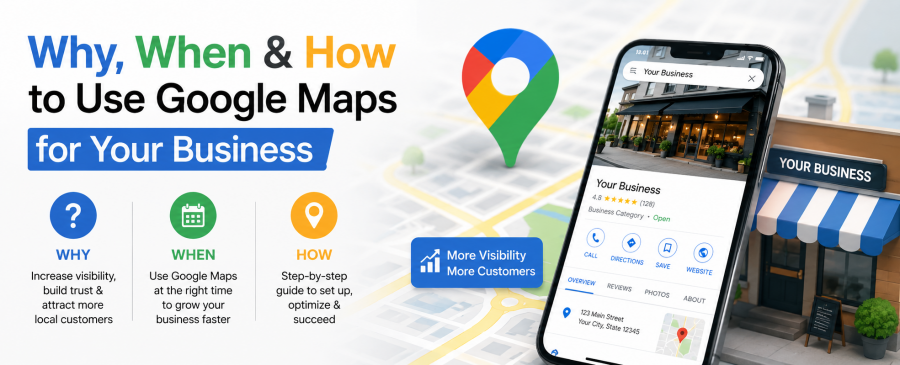
Somebody searches “plumber near me” right now, this second, in your city. Google Maps decides who they see first. If your business isn’t showing up in that list, you’re not losing a sale. You’re losing a customer who never even knew you existed.
That’s the whole game with a Google Maps business listing. It’s not a nice-to-have anymore. For most local businesses, it’s the first impression, full stop. Across the multi-location franchise accounts we manage, phone calls and direction requests from the Maps listing now regularly outpace clicks to the website itself. This guide walks through why that matters, when you should be actively working on it, and how to actually do it right.
Key Takeaways
- A Google Maps business listing is often the very first touchpoint a customer has with your business, before your website, before a phone call.
- Local business Google Maps rankings depend on three things: relevance, distance, and prominence. You can influence two of those directly.
- Google Maps visibility should be treated as an ongoing task, not a one-time setup. Weekly and monthly habits matter more than the initial listing.
- Google Maps Optimization now overlaps with how AI tools answer questions, meaning your listing quality affects both traditional search and AI-generated answers.
- Waiting to optimize until sales slow down is a common mistake. The businesses that win the map pack started months, sometimes years, before their competitors bothered.
- Real results back this up: one multi-location franchise client saw phone calls climb 68.6% and direction requests climb 20.5% quarter over quarter after a full profile optimization (more on this below).
Why Your Business Needs a Google Maps Business Listing
A Google Maps business listing puts your business in front of people who are actively searching nearby and ready to buy, call, or visit, which makes it one of the highest-intent marketing channels available to any local business.
Think about the last time you needed a locksmith, a dentist, or a coffee shop in an unfamiliar neighborhood. You didn’t scroll through ten websites. You opened Google Maps. That behavior is now the default for billions of searches every month.
Here’s what a well-built listing actually does for you:
- Puts your business on the map (literally) for “near me” and location-based searches
- Displays your reviews, photos, hours, and services before a user even clicks your website
- Feeds directly into Google’s local 3-pack, the box of three businesses shown above organic results
- Gives customers a direct line to call, message, or get directions with one tap
We’ve seen this play out directly. A tutoring franchise we work with, Mathnasium, had a well-built website and years of local reputation, but several of its center listings sat behind competitors with far weaker sites. Once we corrected categories, rebuilt citations, and got posts and photos flowing consistently, phone calls to those centers rose 68.6% and direction requests rose 20.5% in a single quarter. The website didn’t change. The listing did. That’s the gap a lot of business owners underestimate.
There’s also a trust angle here. A profile with recent photos, quick review responses, and accurate hours signals to both Google and the customer that a real business is behind it. That’s the foundation of E-E-A-T (Experience, Expertise, Authoritativeness, Trustworthiness), and Google leans on it heavily when deciding who earns the top spots.
When Should You Start Optimizing for Google Maps Visibility
You should start working on Google Maps visibility the moment your business has a physical location or a defined service area, and you should keep working on it continuously, not just during slow seasons.
A lot of business owners treat their listing like a form they fill out once and forget. Claim it, add an address, done. That mindset is exactly why competitors with weaker products still outrank them.
There are a few clear signals it’s time to prioritize this:
- You just opened, or you’re rebranding. Your listing needs to exist and be accurate from day one. Delayed setup means delayed visibility, sometimes for months.
- Your competitors show up before you do. If you Google your own service and three other businesses appear first, that’s not luck. That’s optimization.
- You have reviews but no strategy for them. Reviews sitting unanswered for weeks tell Google (and customers) that nobody’s home.
- You expanded to a new location. Each location needs its own properly categorized, verified listing. One strong profile doesn’t cover a second address.
- Your traffic looks fine but leads don’t match it. High impressions with low calls or direction requests usually means the profile itself needs work, not just visibility.
The honest answer is now. Local business Google Maps rankings build gradually. Google rewards consistency over time, so the businesses that started six months ago already have a lead you’re trying to close.
Common Mistakes That Quietly Kill Google Maps Visibility
The most damaging mistakes are inconsistent business information, ignoring reviews, using a vague or incorrect category, and treating the listing as a one-time task instead of an ongoing channel.
We see the same handful of errors on almost every audit we run:
- Mismatched NAP data between the website footer, Facebook page, and the Maps listing itself
- A generic or wrong primary category, which quietly excludes the business from relevant local searches
- Stock photos or no photos, which makes a listing look abandoned or untrustworthy
- Multiple duplicate listings for the same address, splitting reviews and confusing Google
- Silence on reviews, especially negative ones left unanswered for months
Fixing these isn’t glamorous work, but it’s usually where the biggest ranking jumps come from. On the franchise accounts we’ve corrected, the pattern is consistent: duplicate listings and a mismatched category are almost always present together, and fixing both at once tends to move a listing faster than any single change on its own.
How AEO, GEO, and AIO Are Changing Local Business Google Maps Strategy
Search is no longer just Google’s blue links and map pins. Answer Engine Optimization (AEO), Generative Engine Optimization (GEO), and AI Overview Optimization (AIO) now determine whether AI tools cite your business at all when customers ask questions instead of typing keywords.
In plain terms: AEO means structuring your content so an AI tool can lift a direct answer straight from it. GEO means writing and organizing your profile and website so generative engines like ChatGPT or Gemini treat your business as a citable source. AIO refers specifically to optimizing for Google’s own AI Overviews panel. All three depend on the same foundation: clear, accurate, well-organized business information.
More people are asking AI assistants questions like “what’s the best-reviewed bakery near downtown” instead of typing a plain search query. These tools pull directly from structured, well-organized business information, which is exactly what a properly optimized Google Maps business listing provides.
This shift means your content, your reviews, and your profile data all need to answer real questions clearly, not just include keywords. A vague description gets skipped by AI summarization. A specific one, that explains services and location plainly, gets cited.
We’ve written more on this shift in our post on AI search results and Google Maps, if you want a deeper look at how AI answer engines are reshaping local search behavior.
According to Google’s own guidance for Business Profiles, keeping information accurate and complete is the foundation for appearing in both traditional search and newer AI-driven results (see Google’s Business Profile help center for their official recommendations).
Getting Real Results From Your Listing
A Google Maps business listing isn’t a set-it-and-forget-it project. It’s closer to a storefront window that needs regular cleaning, restocking, and attention. Businesses that treat it that way consistently outperform ones that claimed their profile once and walked away.
If you’re managing multiple locations or simply don’t have the bandwidth to post weekly, respond to every review, and monitor citations, that’s exactly where a dedicated team helps. Our clients typically see meaningful movement in their local rankings within four to eight weeks of consistent, correctly executed work on their profile, consistent with the results documented in our published case studies.
Ready to see where your listing currently stands? Request a free listing scan from Map Ranks, or explore our full Google Maps Optimization service to see exactly what a properly managed profile looks like.
Frequently Asked Questions
How long does it take to improve Google Maps visibility?
Most businesses see initial movement within a few days of fixing major errors, with fuller ranking improvements typically appearing over four to eight weeks depending on competition and market size.
Can a service-area business without a storefront use Google Maps?
Yes. Service-area businesses can hide their exact address while still defining the areas they serve, which allows them to appear in relevant local searches without listing a public storefront. See our full breakdown in Google Maps Optimization for Service-Area Businesses.
Does Map Ranks have proof this actually works?
Yes. Our published case studies (linked above, in the optimization steps section) show real, named results, including a multi-location franchise client that saw a 68.6% increase in phone calls and a 20.5% increase in direction requests after a full profile optimization.
Does posting on Google Maps actually affect rankings?
Yes. Regular posts, photo uploads, and review responses signal to Google that a profile is active and maintained, which the algorithm factors into local ranking decisions.
How is Google Maps Optimization different from general local SEO?
Google Maps Optimization focuses specifically on your business profile, categories, reviews, and citations, while general local SEO also includes your website content, backlinks, and technical structure working together.
What happens if I ignore negative reviews?
Unanswered negative reviews can lower a business’s profile, lower customer trust, and give Google less signal that your business actively manages its reputation, which may affect both conversions and rankings over time.

Map Ranks is a local SEO agency that helps businesses get found fast on Google Maps and local pack. Our team specializes in Google Maps Marketing, SEO, and optimization strategies designed to boost your visibility, attract nearby customers, and grow your local presence. We make sure your local business stands out right where it matters; on the map and in front of the people searching for you.