

Why Your GBP Primary Category Is the Single Most Powerful Ranking Decision You’ll Make
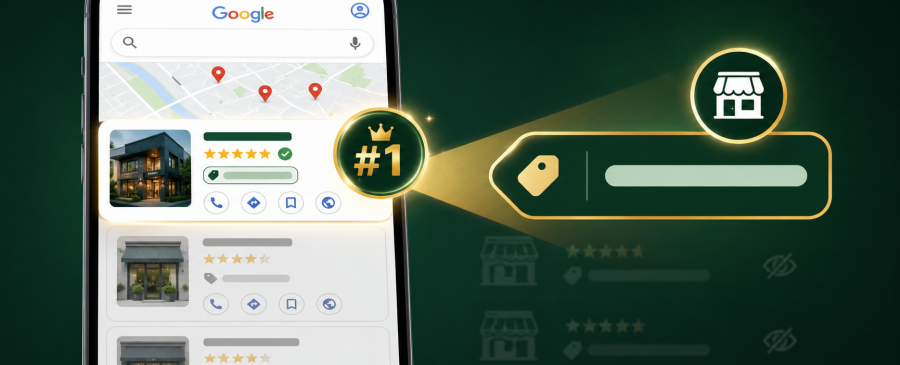
You’ve got reviews. Your photos look great. Your NAP is consistent across the web. Yet somehow, your top competitor, the one with fewer reviews and a less polished profile, keeps outranking you on Google Maps.
Here’s the uncomfortable truth most people miss: the single most important thing on your entire Google Business Profile isn’t your reviews, your photos, or even your business description. It’s a small dropdown field you probably filled in once during setup and never thought about again.
Key Takeaways
- High impressions don’t guarantee leads or customers
- Google Maps conversion optimization is essential for results
- Weak trust signals reduce calls and inquiries
- Reviews directly influence local lead generation
- Engagement signals affect rankings and conversions
- Optimized profiles generate more calls, not just views
What Is a GBP Primary Category?
A Google Business Profile category is a predefined label, chosen from Google’s official list of approximately 4,046 options, that classifies what your business fundamentally is. You cannot write your own; you must select from the list Google provides and updates monthly.
Local Search Ranking Factors survey, the world’s most comprehensive study of local SEO, compiled from 47 top experts, found that your primary Google Business Profile category is the #1 factor determining whether you appear in the local 3-pack for your most valuable searches. Get it right, and you unlock a flow of high-intent customers finding you first. Get it wrong, and your entire profile is effectively invisible for the searches that matter most.
This guide covers everything: what the primary category is, why it controls your Google business category ranking, how to choose the right one, and how to audit what your competitors are doing, so you can beat them at their own game.
Why Your Primary Category Is the #1 Google Business Category Ranking Factor
This isn’t a marketing claim; it’s the finding of the most trusted annual study in the local SEO industry. The Whitespark 2026 Local Search Ranking Factors report, compiled by surveying 47 of the world’s top local SEO professionals, ranks the primary GBP category as the single most influential signal for Local Pack and Google Maps rankings.
How to Choose the Right Google My Business Category
With over 4,000 options available, choosing the right category can feel overwhelming. Here is the step-by-step process used by professional local SEO specialists:
- Define your single core service, not everything you do
- Search for your core service in Google Maps and examine the 3-pack winners
- Find the most specific matching category in Google’s official list
- Consider seasonal changes if your business focus shifts
- Change one category at a time and monitor for 2–3 weeks
How to Spy on Competitors’ Google Business Profile Categories
One of the fastest ways to improve your own google business category ranking is to study exactly what the businesses outranking you are doing. Google doesn’t make this easy by default, but two free tools make it trivial.
Primary vs. Secondary Categories: Understanding the Difference
You get one primary category and up to nine secondary categories. They are not equal in ranking weight, not even close.
| Primary Category | Secondary Categories | |
|---|---|---|
| Ranking weight | Heaviest — #1 ranking factor overall | Meaningful but secondary |
| Visibility | Displayed publicly on your listing | Not publicly displayed |
| Searches unlocked | Your most important keyword set | Additional long-tail and niche searches |
| GBP features | Determines which features are available to you | No feature impact |
| How many to use | Exactly one — your core business | 3–5 highly relevant options (not all 9) |
GBP Category Mistakes That Kill Your Rankings
Mistake #1: Setting categories once and never reviewing them
Google updates its category list monthly. A better, more specific category for your business may have been added since your last review. Quarterly audits are essential.
Mistake #2: Ignoring seasonal relevance
Seasonal businesses that don’t update their primary category when their focus shifts lose ranking for their highest-volume winter or summer keywords.
Mistake #3: Not checking what competitors use
The businesses outranking you have already figured out the optimal category setup for your market. Five minutes with GMBspy tells you exactly what’s working for them.
Learn More
When to Review and Update Your Google Business Profile Category
Most businesses treat their category as a “set it and forget it” setting. That was fine in 2020. In 2026, it’s a guaranteed way to slowly lose ground to competitors who are paying attention.
Here are the four triggers that should prompt a category audit:
- Quarterly, regardless of anything else. Google’s category list changes monthly. A new, more specific category relevant to your business may have been added.
- When you add a major new service. If you expand your business in a meaningful way, your primary category may no longer reflect your most profitable work.
- When you notice unexplained ranking drops. Run a competitive audit your top competitors may have switched to a new, more specific category that you’re not using.
- When the season changes (for seasonal businesses). Furnace repair in winter, AC repair in summer. Update accordingly.
After any category change, expect a potential visibility fluctuation of 1–2 weeks. This is normal. Rankings settle as Google re-evaluates your relevance signals. Track weekly using your GBP Performance metrics or a geo-grid ranking tool, and resist the urge to make further changes during this settling period.
Frequently Asked Questions
What exactly is a GBP primary category?
It’s a predefined label from Google’s official list that tells Google what your business fundamentally is. It’s the #1 ranking signal for the local 3-pack chosen from 4,000+ options.
Does my Google Business Profile category actually affect rankings?
Yes, significantly. It’s the single most impactful field on your entire profile, controlling which keyword searches trigger your listing.
What’s the difference between primary and secondary categories?
Primary carries the heaviest ranking weight and is publicly visible on your listing. Secondary categories expand your keyword reach but carry far less individual ranking power.
Should I pick a broad category or a specific one?
Always go specific: “Pediatric Dentist” outranks “Dentist” for child dental searches every time. Broad categories match fewer high-intent queries and put you against far more competition.
Can I have two primary categories for different services?
No, Google allows only one primary category. Put your most profitable, core service as primary and add the others as secondary categories.
GBP Primary Category Beats Reviews as the #1 Local Ranking

Map Ranks is a local SEO agency that helps businesses get found fast on Google Maps and local pack. Our team specializes in Google Maps Marketing, SEO, and optimization strategies designed to boost your visibility, attract nearby customers, and grow your local presence. We make sure your local business stands out right where it matters; on the map and in front of the people searching for you.